How do I get MPE in FL Studio with Serum or Vital?
FL Studio cannot send per-note pitch bend on its own: every bend hits all notes on the channel. MIDISketch gets around that by hosting the synth inside itself, so you draw curves in our roll and Serum, Vital or Phase Plant hear them per note. Full walkthrough in the MPE in FL Studio guide.
Is there a free trial? What does it cost?
Seven days free, no credit card, every feature unlocked. The trial starts when you press the button, not when you download, so the clock does not run down while it sits unopened. After that it is a one-time $50 that covers every future update, verified on your machine and working offline. Start the trial.
Does MIDISketch work in Ableton Live?
Yes. Live has supported MPE since 11, and MIDISketch sits on top of it as a faster way to author expression: bezier pitch curves, MPE controller recording, chord stamps, one-click LFOs, audio tracing, and a synth host of its own. See the Ableton guide.
Do I need an MPE controller like the ROLI Seaboard?
No, and if you own one, MIDISketch works with it. Without hardware you draw MPE expression with the mouse: pitch bends, slides, pressure and per-note modulation, sent out as standard MPE MIDI to any compatible synth. With hardware, record your Seaboard, Osmose or Push performance straight in, then fix a wobbly bend or redraw a slide by hand instead of re-taking. You can also import MPE MIDI files and keep every bend, pressure and slide curve intact.
Is the license limited time, or do I own MIDISketch for good?
You own it for good. A purchase is a one-time $50 for a lifetime license: no subscription, nothing to renew, and every future update is included at no extra cost. $50 is the early-access price and it will rise. Buying now locks the app in at that price, and early supporters stay covered for good, even if the pricing or edition changes later on.
How can I pay, and what if my card is refused?
Two ways. Card through Stripe: Visa, Mastercard and Amex, plus Apple Pay, Google Pay and Link, and SEPA in Europe. PayPal, the small link under the buy buttons: your balance, a linked bank or card, or a card without a PayPal account through their guest checkout, and Pay in 4 where PayPal offers it. Both cost the same $50 and both email your key within a minute.
A refused card is almost always the bank blocking a foreign or online charge. Try PayPal, or ask the bank to allow international payments and try again. A few countries have no working route to a US company right now, Russia and Belarus among them, where the card networks and PayPal have both been suspended since 2022. We cannot take a payment from there and do not have a way around it.
Buying for someone else works on the card checkout: enter their email there and the key goes to that address, tied to it.
Is there a free or cracked version?
There is a free 7-day trial of the full version, and a referral route to a free license. If you came here looking for a crack, there is a short note from Elijah: Looking for a MIDISketch crack?
Can I sing or hum a melody and turn it into MIDI?
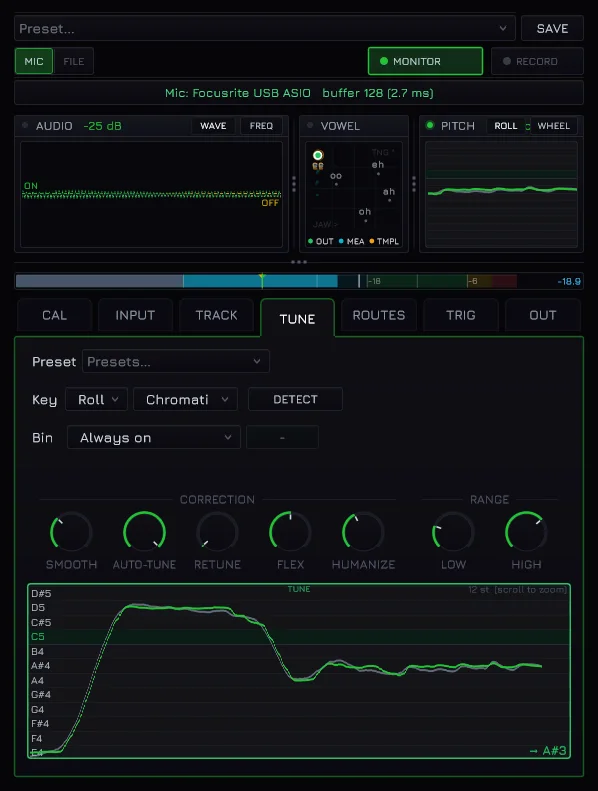
Yes. MIDISketch listens to your voice and prints it as notes carrying the pitch curve you actually sang: the scoops, the slides and the vibrato arrive as editable pitch points instead of being flattened onto a grid. Tidy it by hand, then play it back through any synth.
Can I turn an audio file into MIDI?
Drop any audio onto the roll and MIDISketch analyses it into a spectrogram you can see and trace. Draw along the pitch you can literally see, or let the trace tool snap to it. Multi-resolution analysis keeps low and high material readable at once, and a clarity pass strips the noise around the notes you care about.
Does MIDISketch work in Logic Pro?
Yes. The best way in Logic is MIDISketch MIDI FX: put it in your synth track’s MIDI FX slot and it plays that synth with per-note bends, whether it’s Vital, Serum 2 or Logic’s own Alchemy. You can also load MIDISketch as an instrument and host a synth inside it. See the Logic Pro guide.
How do I set up MIDISketch in REAPER?
REAPER is officially supported. Install the VST3 or CLAP, add it to a track as an instrument, and load your synth into the built-in host. REAPER’s routing is a good match for MPE output. See the REAPER guide.
Does MIDISketch work in Bitwig Studio?
Yes, and Bitwig is about as MPE-native as hosts get. Load MIDISketch as a VST3 and either host your synth inside it or send its MPE straight out to Bitwig’s own instruments. See the Bitwig guide.
Can I use MIDISketch in Pro Tools?
Yes. MIDISketch runs in Pro Tools as a native AAX plugin on Windows and macOS, signed with PACE, so it loads in a normal Pro Tools install. Get it on the Pro Tools page, and the Pro Tools guide walks through setup. A VST3 host loaded as AAX (Blue Cat PatchWork and similar wrappers) with MIDISketch inside it works too.
Does MIDISketch work in LMMS?
Not as a plugin. LMMS loads VST2 and LV2 plugins, and MIDISketch comes as VST3, CLAP, AU and AAX, so it never shows up in the LMMS plugin list. The two still work together: write your part in the MIDISketch standalone app, which installs with the plugin (on Linux it is the main download), using the built-in synth, a SoundFont or a synth loaded inside it. Then export from FILE → Export...: on the Audio tab, Export Audio... gives a WAV with every bend and expression baked in, and on the MIDI tab, Export to File... gives the notes as a MIDI file. Bring the file into your LMMS project. The audio route is the one that keeps the per-note bends. More in Which DAWs Work.
What synths work with it?
Any synth. Notes, velocity and sustain work with every instrument plugin, hosted inside MIDISketch or on another track. Per-note bends, slides and pressure need an MPE synth in MPE mode. The smoothest are Serum 2, which ships with MPE on, and Vital, one switch away. Phase Plant, Pigments, Surge XT and Diva are confirmed too, any MPE synth works the same way, and the built-in MIDISketch Synth is MPE from the start.
No MPE? Switch to Pitch Wheel mode. You draw bends exactly the same way, but the synth has one pitch wheel, so a bend on one note moves every note sounding at the same time, from where the bent note starts until it lets go. The roll draws a ghost on the other notes so you see it before you hear it. Perfect for leads and mono lines; chords bend together. The compatibility page tracks what is confirmed.
Can it play my hardware synths over MIDI or USB MIDI?
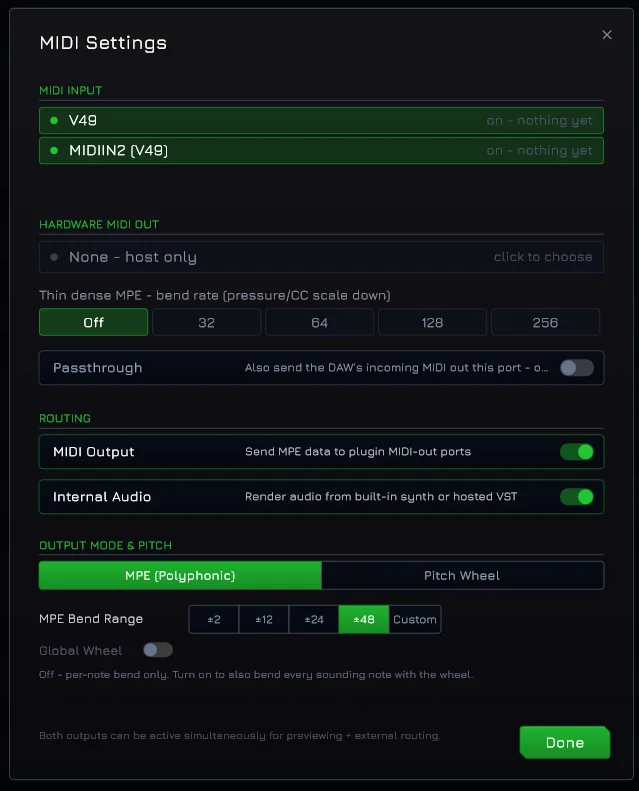
Yes. Open Settings, MIDI Settings, and pick the port under MIDI OUTPUT. MIDISketch sends to it directly, in the plugin and in the standalone, so the DAW never touches the stream and MPE arrives whole. A USB synth shows up as its own port; a synth with DIN sockets goes through the MIDI OUT of your interface. Or leave the port at None and route MIDI Output through your DAW to a track whose output is the hardware port.
Hardware with MPE plays in MPE mode with its bend range at 48. Anything with a plain pitch wheel plays in Pitch Wheel mode with the range matched, one bend at a time. The docs have the rest: the rate ceiling for dense MPE, and what happens to MIDI coming in from a keyboard.
Does MIDISketch support MIDI 2.0?
Not yet, and it is planned. MIDISketch already works the way MIDI 2.0 thinks: every note carries its own pitch and its own expression, drawn as a curve rather than typed as a number. MPE is how you force that idea through MIDI 1.0, by spreading notes across fifteen channels and squeezing every bend into 14 bits. MIDI 2.0 makes it native, per note, at far higher resolution, with no channel juggling and no fifteen-voice ceiling.
That makes it a transport change rather than a redesign. The hard part, an editor where you draw expression and watch it move, is the product already. The curves you draw here are continuous maths, and MIDI 2.0 is the first protocol able to carry them at close to the resolution you actually drew.
The part we care about beyond our own roadmap: MIDI 2.0 is abstract to most producers today, because using it properly means owning hardware built for it. Drawing needs no hardware. Make per-note expression something you sketch with a mouse in a roll you already understand, and MIDI 2.0 stops being a spec people read about and becomes something they feel on the first try.
My pitch bend is not working, or only bends a little?
Almost always the synth’s bend range. MIDISketch sends up to ±48 semitones; most synths ship at ±2, so a big drawn curve arrives as a wobble.
MPE synth (Serum, Vital, Phase Plant, Pigments, Surge XT, Diva): enable MPE in the synth and set its pitch bend range to 48.
Non-MPE synth (Kontakt, Nexus, Sylenth1, the original Massive): switch MIDISketch to Pitch Wheel mode in Settings, MIDI Settings. Everything plays on one channel with a standard pitch wheel, which is ideal for monophonic leads, and you pick a range the synth agrees with (±2, ±12, ±24, ±48).
I hear a click when a Pressure curve starts a note in Serum 2
A Serum 2.1.4 bug, not MIDISketch. When Pressure runs through a Macro (Serum’s YZ or XYZ → Macro option) into a fast target like oscillator level, the macro holds the previous note’s value for an instant at note-on and then jumps, which you hear as a click.
Fix: update Serum to 2.1.5 or newer, or in Serum’s Matrix map Expr Z (Press.) straight to the destination instead of through a Macro. Keep MPE on with bend range 48. MIDISketch sends the value on time, so DAW latency or pre-roll will not help.
What is MIDISketch Audio Send?
A second, optional plugin the installer offers. It is an audio effect you put on a track to send that track’s audio into MIDISketch, which is how voice and instrument audio reach the pitch tracker. You only need it if you want to sing or play into MIDISketch from another track. The instrument works fine on its own without it. It used to be called MIDISketch FX.
Windows, macOS and Linux?
All three. VST3 and CLAP on every platform, AU on macOS, AAX for Pro Tools on Windows and macOS, and a standalone build everywhere so you can sketch without opening a DAW.
Can I arrange several sketches like clips or patterns?
Yes, through your DAW. Turn on TRIGGER in the playback bar and put any MIDI note in an Ableton clip or an FL Studio pattern on the MIDISketch track. When the DAW reaches the note the sketch plays, it loops while the note holds, and it stops on release, so your session view, playlist or timeline arranges it. For several sections, the cog next to TRIGGER gives each one its own note. A playlist inside MIDISketch is next on the roadmap. The walkthrough is in the docs.
How is this different from my DAW’s piano roll?
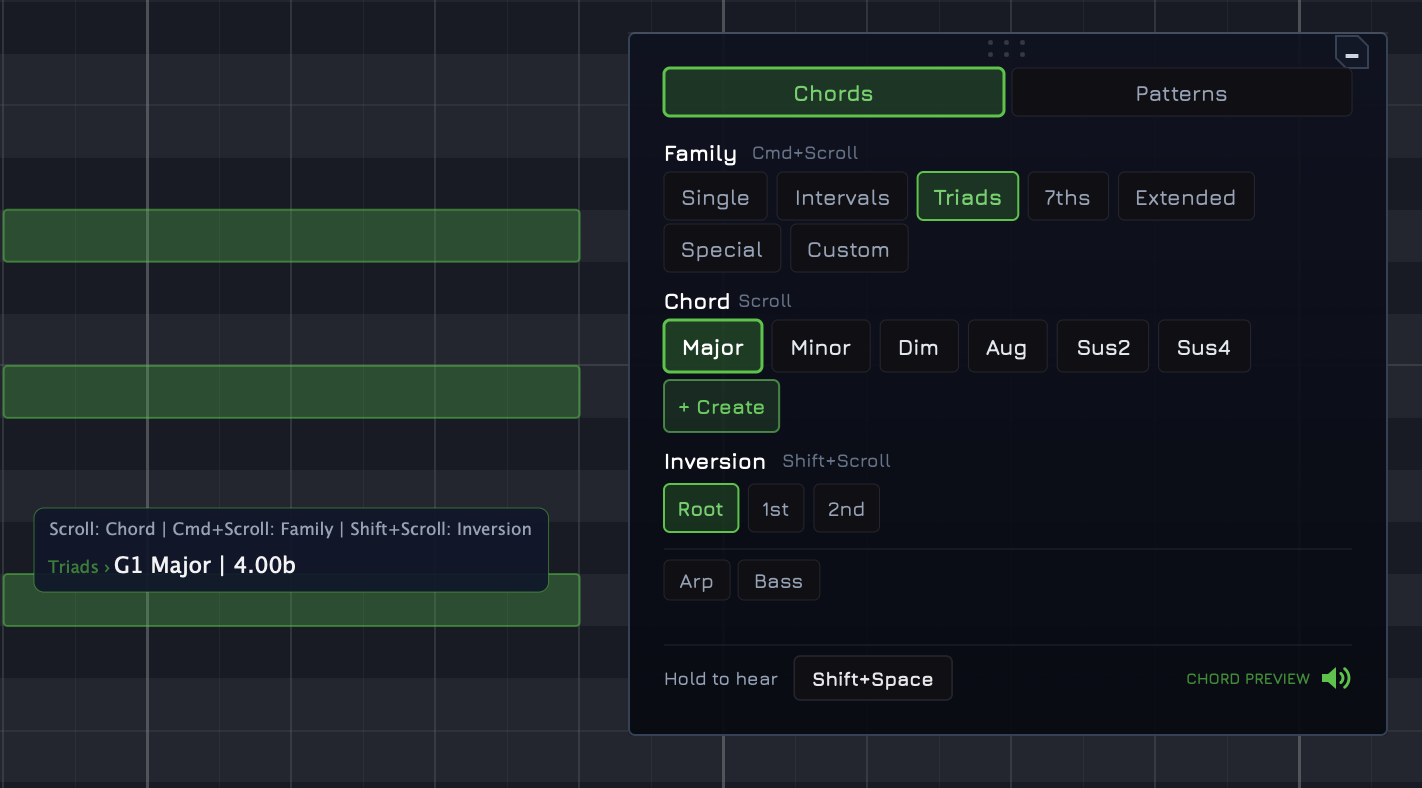
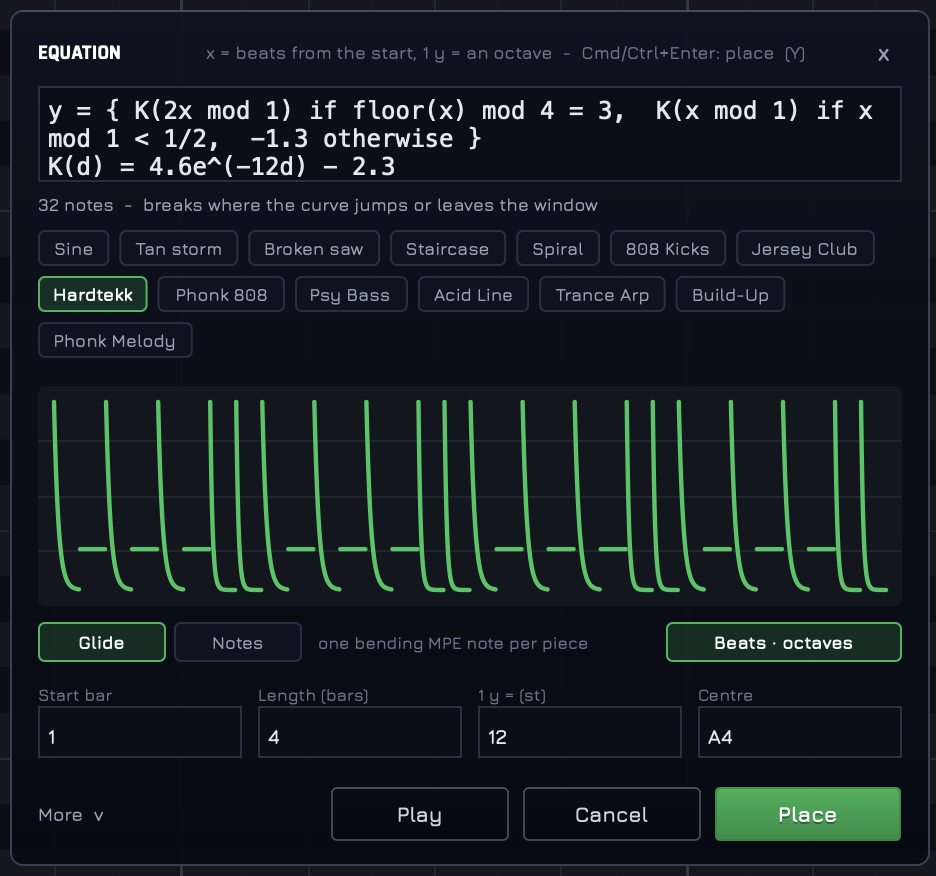
A normal piano roll places notes and sets velocity. MIDISketch adds per-note pitch curves with bezier control, a brush for painting notes freehand, stamps for reusing shapes, simplify for cleaning curves up, expression lanes per note, non-destructive LFOs, live preview as you draw, and a synth host. It runs as a plugin inside your DAW or as a standalone app, and everything in it is built around expression.
Is the demo on this page the real thing?
No, it is a stripped-down port of the interaction grammar running on a plain sine. The real plugin hosts your own synths, carries the full toolset, and sends real MPE. The demo exists so you can feel how drawing pitch works before you download anything.