
MIDISketch MIDI FX
MIDISketch as a MIDI effect. Put it in front of the synth on a track and draw: every note plays that synth with its own bend. No second track, no routing.
Which one?
MIDI FX installs next to the main MIDISketch. Same drawing; the difference is where the sound comes from.
MIDI FX
Sits in front of the instrument and plays it: your DAW's own synths, or any synth already on the track.
Best for Logic's Alchemy, Bitwig's Polymer, a synth you already use. Sends MIDI only.
The main MIDISketch
Loads as the track's instrument, with your synth inside it.
Best for Voice to MIDI and anything that needs audio, and DAWs without a MIDI effect slot.
Download & Install
- Run the installer.
- For Logic, MIDI FX for Logic (AU) is already ticked.
- For Bitwig and other DAWs, also tick MIDI FX for other DAWs (VST3 + CLAP).
- Run the installer.
- Choose Custom installation.
- Tick MIDISketch MIDI FX.
Already have MIDISketch? Run the installer again with the box ticked. No Linux or AAX version. Every file is on the download page.
In Your DAW
- Make a Software Instrument track with your synth: Vital, Serum 2, Alchemy or any other.
- In the track's MIDI FX slot (just above the instrument), pick Audio Units › Eliotonic › MIDISketch MIDI FX.
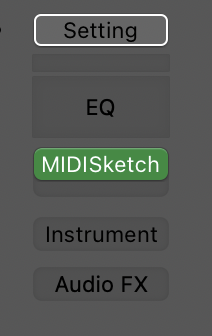
In the MIDI FX slot 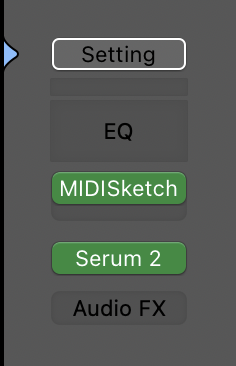
Above Serum 2 - Turn on MPE in the synth with a bend range of
48. In Alchemy: MIDI Mono Mode On, Mono Mode Bend Range 48. - Draw and press play.
Each synth's settings and fixes: Logic Pro guide →
- Add MIDISketch MIDI FX first in an Instrument Track's chain. Use the CLAP: it keeps MPE.
- Add your instrument after it: Polymer, another Bitwig device, or an MPE synth.
- In MIDISketch: settings gear › MIDI Settings... › MIDI OUT, turn on Per-note bends.
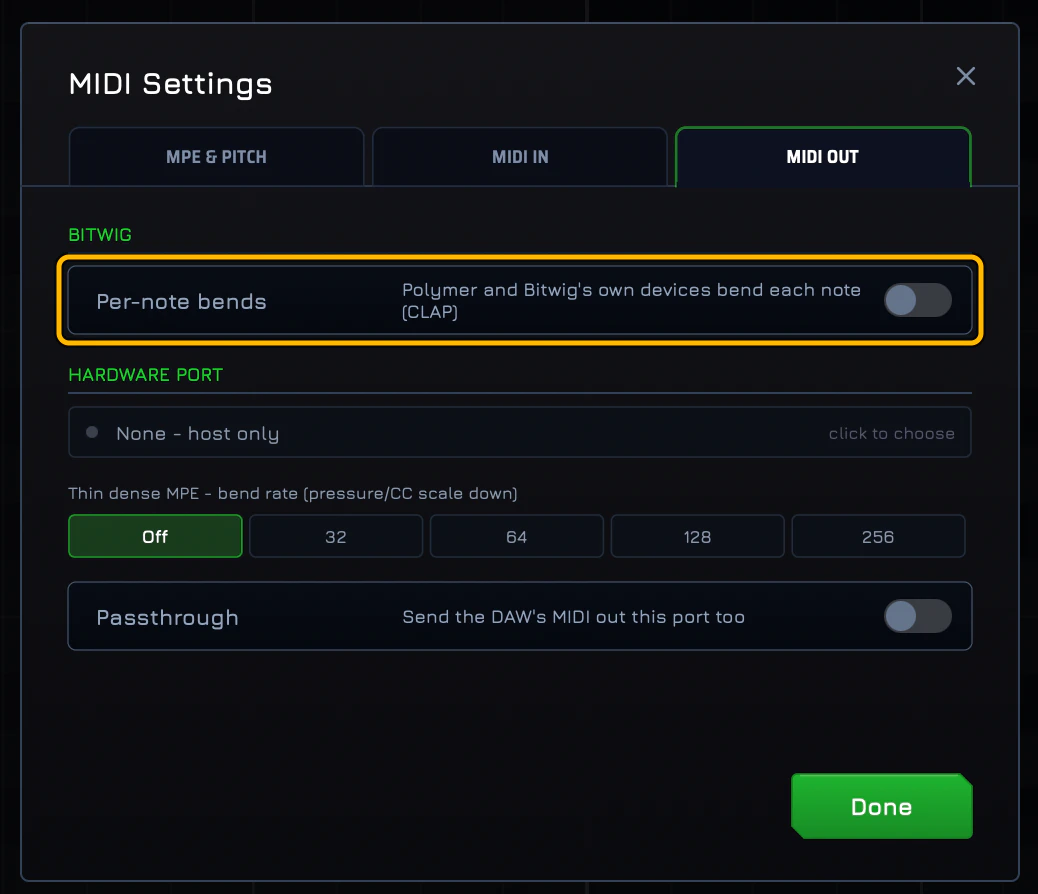
Shown off here: turn it on. - A VST3 MPE synth after it also needs Bitwig's Use MPE on, with PB Range 48.
- Draw and press play.
What each switch does: Bitwig guide →
These use the main MIDISketch, with your synth inside it. Ableton Live doesn't load MIDI effect plugins, and MIDI FX has no AAX version for Pro Tools.
Setup: Ableton Live → FL Studio → Pro Tools →
If your DAW takes VST3 or CLAP MIDI effects, put MIDISketch MIDI FX in that slot, in front of the instrument. Working for you? Say so on the forum and we add it here.
No MIDI effect slot? Use the main MIDISketch: DAW guides →